Contact us
Leave your details and we will get back to you by email.
Leave your details and we will get back to you by email.
Our free accessibility checker identifies key accessibility issues and guides your team toward a compliant user experience.
Our scanner shows you what's wrong and exactly how to fix it - fast, clear, and actionable.
Learn More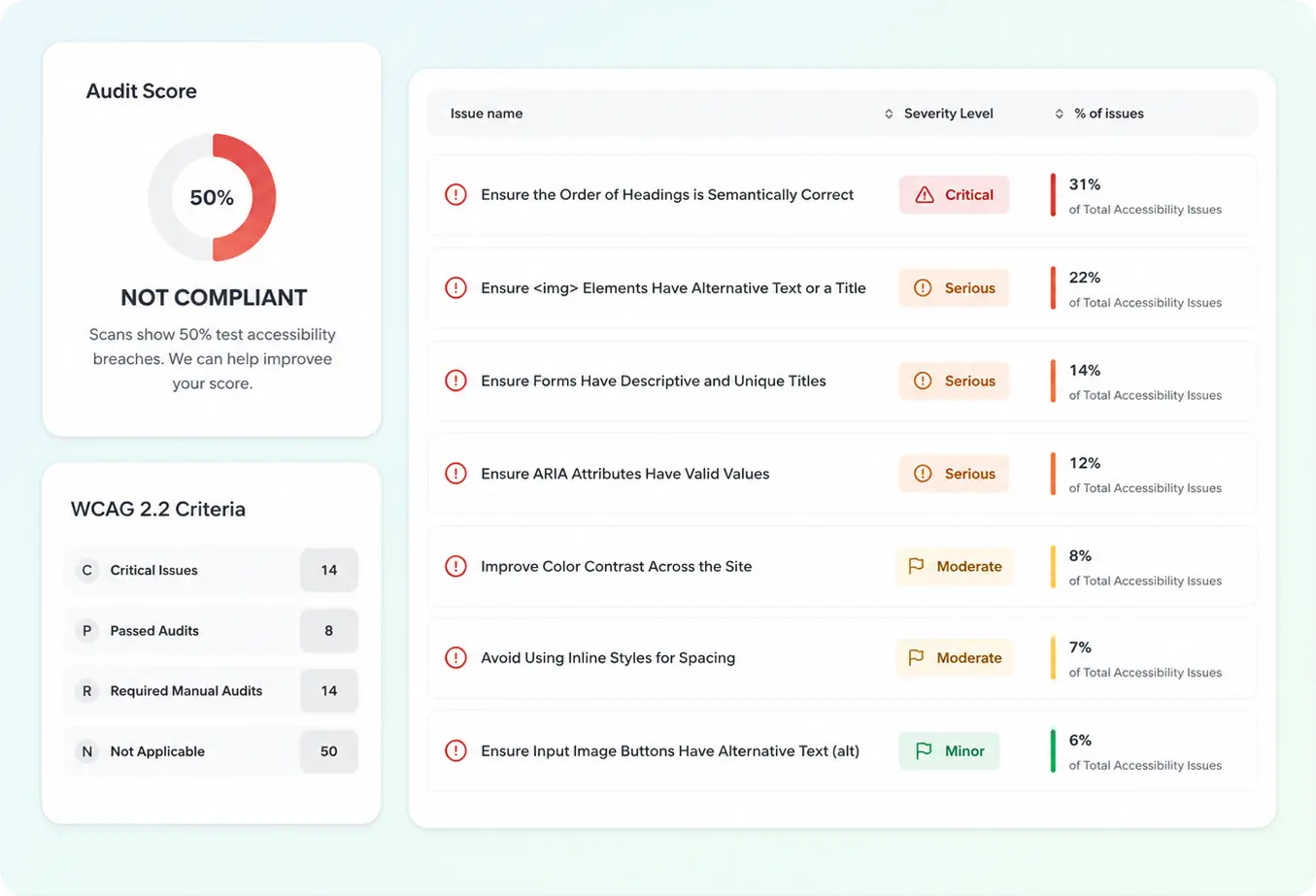
The local web accessibility standard
WCAG 2.1/2.2 AA success criteria
Service accessibility regulations
Digital service accessibility duties
PDFs, forms, and downloadable content
Responsive and mobile user journeys
From automated scans to manual audits and PDF fixes - everything you need, all in one place.
Run repeatable scans that highlight WCAG issues quickly so your roadmap stays clear.
Get actionable guidance for developers - semantics, ARIA, keyboard flows, and more.
Combine tooling with experienced reviewers when you need depth beyond automation.
Document how your product meets accessibility expectations with structured summaries teams can trust.
Supplement checks with real feedback loops - inclusive UX wins when people actually use your flows.
Bring PDFs, forms, and downloads in line so content stays usable with assistive technology.
Making your website accessible allows more people to use it clearly, comfortably, and independently — including people with visual, hearing, motor, attention, or cognitive disabilities. Beyond the legal requirements that apply to many businesses, an accessible website improves user experience, strengthens trust, and helps more customers understand your services and contact you.
Usually, no. An accessibility widget may add certain tools for users, but it does not fix the actual issues in the website — such as broken buttons, inaccessible forms, incorrect heading structure, low color contrast, missing alternative text, or keyboard navigation problems. Proper accessibility requires fixing the website itself, not just adding an accessibility button.
You can start with an automated scan that detects common issues, such as color contrast problems, missing alternative text, form errors, or incorrect structure. However, automated scans do not catch every accessibility issue. For a more accurate picture, it is best to combine technical scanning with a professional review of the website's user experience.
Yes. In most cases, accessibility issues can be fixed on an existing website without rebuilding it from scratch. The work may include improvements to the code, page structure, forms, buttons, menus, images, and content. If the website is very outdated or poorly built, a broader process may be needed — but in most cases, fixing the existing website is a practical starting point.
Clearweb helps businesses find, understand, and fix accessibility issues on their websites. We review the website, identify problems that make it harder for users to navigate or that may affect accessibility compliance, and apply practical fixes directly to the website. We can also help improve the site structure, user experience, accessibility statement, and other technical aspects that affect the overall quality of the website.